Back to Blog
Dec 3, 2025
Written by
Michael Ludden
The standard developer workflow often starts with friction: setting up a repo by configuring the environment, establishing boilerplate, etcetera. By the time you're ready to write actual code, some of the initial momentum is gone.
Cto.new streamlines this process by separating planning from execution, and taking care of the setup along the way. It does this through two distinct modes: Chat and Tasks. Understanding when and how to use each one can greatly accelerate development.
Use chat mode for planning and context
Chat is where you work out the details before code is written. It's a private session with access to your full codebase context.
When you start a new feature, open a Chat and describe what you need. Instead of guessing at implementation, the agent asks clarifying questions based on your actual repository structure and patterns. It understands your tech stack, your existing components, and your coding conventions.
Use Chat to:
Scope the work and iterate on requirements
Understand where new code should live in your project
Build a step-by-step implementation plan
Get feedback on architectural decisions
Chat keeps you in the planning phase without burning compute on trial-and-error coding. You can iterate quickly on the "what" and "how" before the actual build begins. Chat will even draft tasks for the coding agent to potentially execute on.
Starting a task takes you from planning to execution
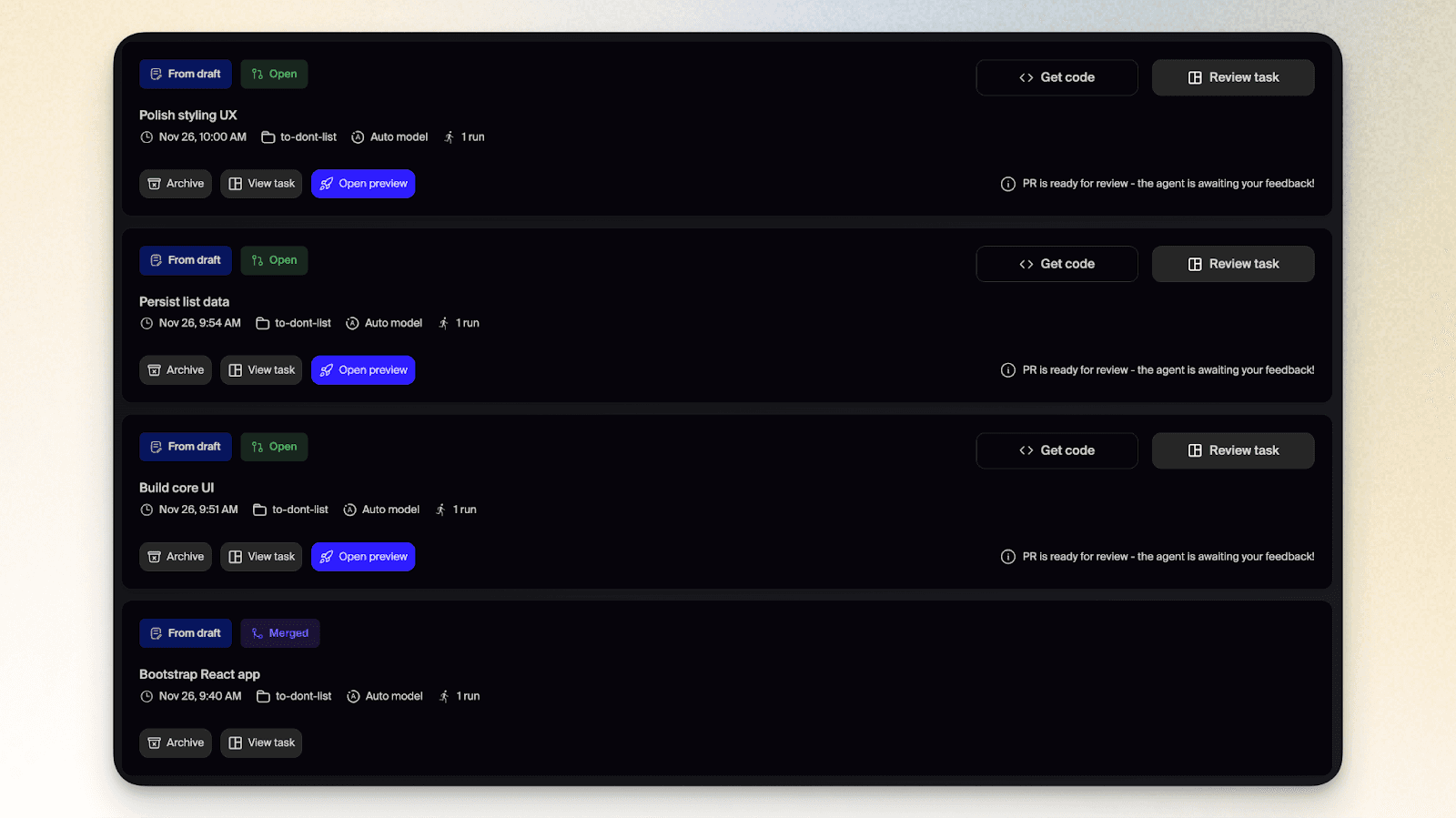
Once you've finalized the plan in Chat, you move to execution. You can start a Task directly from a draft created by Chat during the conversation conversation, edit it, or create and trigger tasks through your existing workflow: add a label to a GitHub issue, tag @cto in a pull request, or assign a Linear ticket to cto.new.
A Task is an asynchronous agent that runs in a cloud-based Task Runner - a virtual machine configured for your project. Unlike Chat, which is conversational and exploratory, a Task is mission-focused.
When a Task starts, the agent:
Writes the code based on the plan
Runs your actual test suite (npm test, etc.) in the VM
Checks the output and self-corrects if tests fail
Continues until the work is complete
You don't need to monitor this. The agent works in the background while you move on to other work.
The outcome is a Pull Request
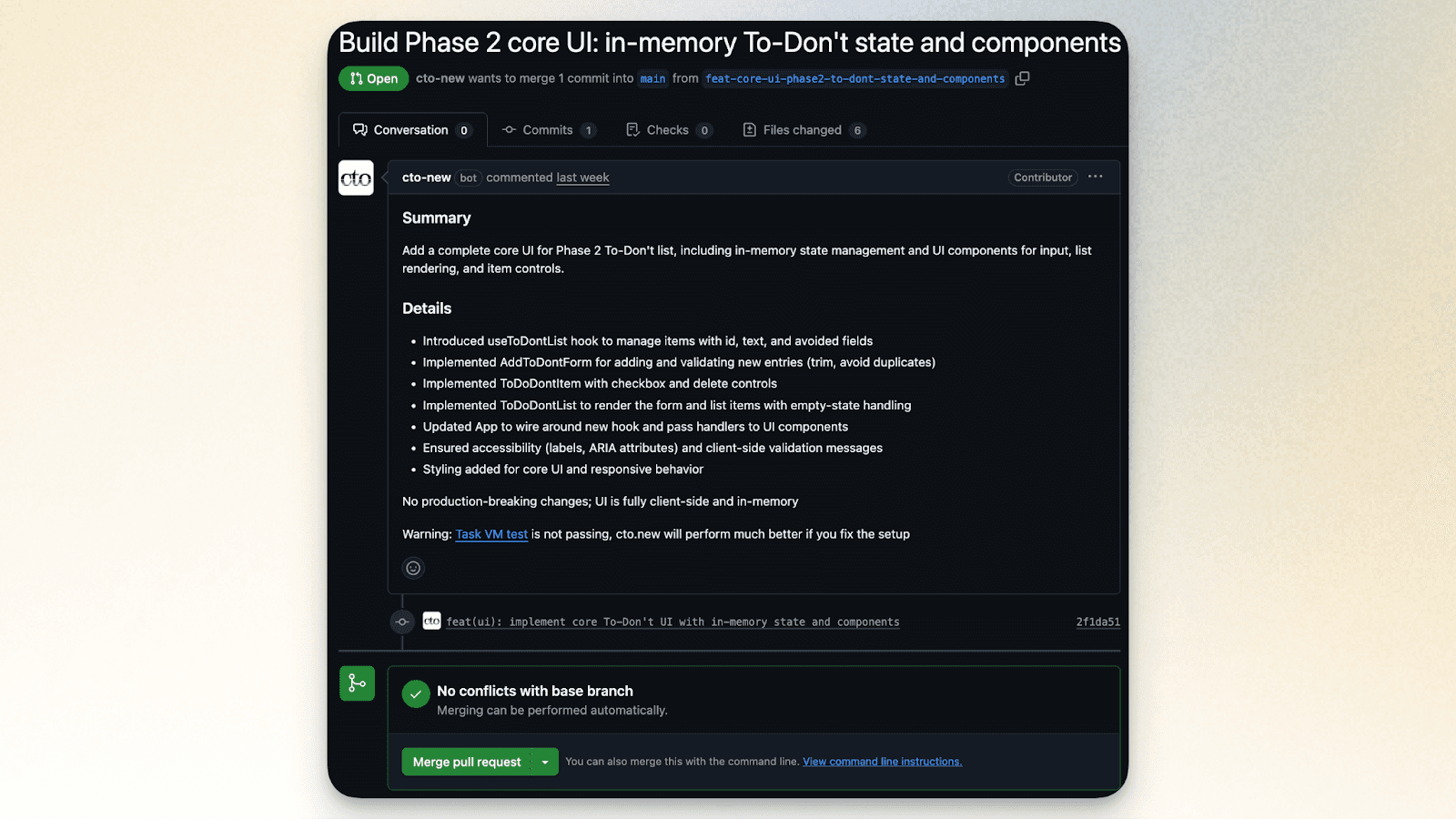
When the Task finishes, it opens a pull request in your repository. Your team can review it like any other PR - comment, request changes, or merge.
Pro Tip: If you're working on complex features or coordinating across a team, enable Plan Mode in your repository settings. This forces the Task agent to post its implementation plan as a comment on the issue before writing code. It's an automated design review that catches misalignment early.
Getting started
It’s really simple to start doing this with any existing or new project. Just start a Chat at cto.new and describe what you're building. The agent will ask clarifying questions and help you think through the approach. When you're ready, kick off a Task and let it handle the implementation.
As always, hit us up on Discord with any questions you have. We’re excited to see what you build!